
Or use our AI-based wizard to guide you
and find the best match for your needs
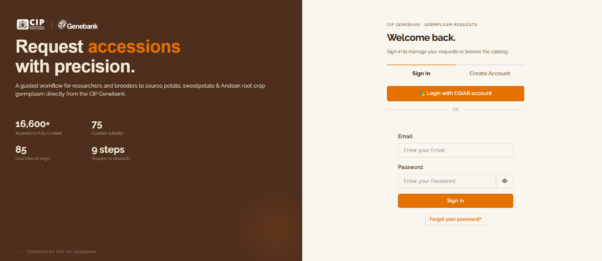
Search and Order Germplasm

Order Limitations
The maximum number of accessions that can be requested is 35 per institution per year. If your request exceeds this number, please contact CIP-GERMPLASM@cgiar.org, indicating the purpose and justification for the additional accessions.
Requesting Germplasm from the CIP Genebank
You can request germplasm from the CIP Genebank through two available options. All requests are subject to availability, phytosanitary requirements, and compliance with the Standard Material Transfer Agreement (SMTA).
35 Accessions per Institution / Year
Maximum limit per requested per institution annually.
6–8 Weeks
Expected delivery timeframe after documentation receipt.
2 Ordering Channels
Request directly via CIP Genebank Portal or Genesys-PGR.
Option 1: Via the CIP Genebank Website
- Access & Browse: Access "Search and Order Germplasm". You may browse by general search, overview, map, subsets, datasets, or traits.
- Apply Filters: Select the crop of interest (Potato, Sweetpotato, or Andean Roots and Tubers) and apply filters such as provenance, biological status, genus, specific epithet, accession number, or collection site (elevation, latitude, longitude).
- Refine Search: Use additional options including "Include historical accessions," "Show only accessions I can request," or "Show only accessions with images," then click "Apply filters."
- Add to Cart: Select desired accessions by checking the boxes and click "Add to Cart." (Note: Only accessions available for distribution can be added to the cart).
- Submit Request: Open the "Cart" to review selections, click "Request the material," complete the request form with personal details, and select "Submit Request."
Option 2: Via the Genesys-PGR Platform
- Account Access: Log in or create an account at Genesys-PGR.
- Identify Material: Browse Passport Data or Subsets and Core Collections to identify accessions available for distribution.
- Build Selection List: Add accessions to "My List" by clicking "+ Add to My List."
- Initiate Request: Go to "My List" and select "Request for material." Genesys automatically verifies availability and excludes unavailable accessions.
- Finalize Submission: Review the "List of materials", click "Next step," complete the "Personal information" form, review details in "Finalize and submit," and click "Continue." (Consult the Step-by-step guide to requesting accessions on Genesys for extra guidance).
Acceptance of the Standard Material Transfer Agreement (SMTA)
Once your order is submitted, you must accept the Standard Material Transfer Agreement (SMTA). Your request will not be processed until the SMTA is accepted. You may choose one of the following methods:
1
Signed Method
CIP will send you the SMTA document. Complete the required fields on page 8 and 12 of this template, sign it, and return it to CIP.
2
Shrink-Wrap Method
A copy of the SMTA will be included with the shipment. Acceptance of the package constitutes acceptance of the SMTA (template).
3
Click-Wrap Method
Review the SMTA online and accept electronically by clicking the designated icon on the ITPGRFA portal.
Import Permit & Order Limitations: If required by your country, an import permit from your national Plant Protection/Quarantine/Inspection authority must also be provided. The maximum number of accessions that can be requested is 35 per institution per year. Orders exceeding this limit will be delayed, and you will be contacted to justify your request.
Quantity of Material Supplied
The type and quantity of germplasm provided depend on the form in which it is ordered:
| Material Form | Crop Type | Quantity Provided per Accession |
|---|---|---|
| In Vitro Material (Tissue Culture) |
Potato | 2 tubes of 16×150 mm (2 plantlets per tube) |
| Sweetpotato | 2 tubes of 16×150 mm (1 plantlet per tube) | |
| Botanical Seeds | Wild Potato | ~ 50 seeds per accession |
| Wild Sweetpotato | 5–10 seeds per accession |
Expected Delivery Time & Shipping Documentation
Materials are generally delivered within 6–8 weeks after all required documentation is received. Shipments include:
- Official Phytosanitary Certificate (issued by SENASA, Peru)
- Import permit (if applicable)
- Copy of the SMTA
- Commercial Invoice
- Packing List
- List of shipped materials
Additional Information & Post-Delivery Survey Agreement
If you require more information or prefer to make your request via email, please contact: cip-germplasm@cgiar.org. You may also receive follow-up communications from this address.
Reporting Agreement: By requesting germplasm from the CIP Genebank, you agree to provide periodic updates on the use and maintenance of the material. An initial survey will be sent within one month of shipment, followed by annual surveys thereafter.
Cómo solicitar germoplasma del Banco de Germoplasma del CIP
Para solicitar germoplasma del Banco de Germoplasma del CIP, existen dos opciones disponibles. Todas las solicitudes están sujetas a disponibilidad, requisitos fitosanitarios y al cumplimiento del Acuerdo Estándar de Transferencia de Material (SMTA).
35 Accesiones por Institución al Año
Límite máximo de accesiones que se puede solicitar por Institución al Año.
6–8 Semanas
Tiempo estimado de entrega tras recibir la documentación completa.
2 Opciones de Solicitud
A través del sitio web del CIP Genebank o mediante la plataforma Genesys-PGR.
1. A través del sitio web de CIP Genebank
Visite la página del Banco de Germoplasma del CIP en: Search and Order Germplasm. Allí podrá utilizar la búsqueda general, el resumen, el mapa, los subconjuntos, los conjuntos de datos y los rasgos. Una vez identificadas las accesiones de interés, haga clic en “Agregar al carrito”.
Nota importante: Solo las accesiones disponibles para distribución se pueden agregar al carrito.
- Filtros de Búsqueda: En la búsqueda general seleccione el cultivo de interés (papa, camote o raíces y tubérculos andinos), así como otros filtros disponibles (procedencia, estado biológico, género, epíteto específico, número de accesión, altitud, latitud o longitud del sitio de colecta).
- Opciones Adicionales: Puede optar por “Incluir accesiones históricas”, “Mostrar solo las accesiones que puedo solicitar” o “Mostrar solo accesiones con imágenes”. Luego haga clic en “Aplicar filtros”.
- Selección y Carrito: Seleccione las accesiones deseadas marcando las casillas correspondientes, después haga clic en “Agregar al carrito”. Abra el “Carrito” para revisar los materiales seleccionados y haga clic en “Solicitar material”.
- Envío: Complete su información personal y finalmente seleccione “Enviar solicitud”.
2. A través de Genesys
- Acceso: Ingrese a https://www.genesys-pgr.org/ y haga clic en “Iniciar sesión” o “Crear una cuenta”.
- Exploración: Explore los Datos de pasaporte o los Subconjuntos y colecciones núcleo disponibles para distribución.
- Mi Lista: Agregue accesiones a “Mi lista” haciendo clic en “+ Agregar a Mi lista”. Diríjase a “Mi lista” y seleccione “Solicitar material”. Genesys verificará automáticamente la disponibilidad y excluirá las accesiones no disponibles.
- Confirmación: Revise la lista de materiales y haga clic en “Siguiente paso”. Complete el formulario con su información personal y avance a “Siguiente paso”.
- Finalización: Revise todos los detalles y haga clic en “Finalizar y enviar”. (Para más orientación, consulte la Guía paso a paso para solicitar accesiones en Genesys).
Aceptación del SMTA (Acuerdo Estándar de Transferencia de Material)
Una vez enviada su solicitud, será necesario aceptar el Acuerdo Estándar de Transferencia de Material (SMTA). Su solicitud no podrá ser procesada hasta que este requisito se haya cumplido. Existen tres métodos de aceptación:
1
Firma Física
El CIP enviará el documento para su firma y usted deberá devolverlo firmado, completando los datos en la página 8 y 12 del formato oficial.
2
Método Shrink-Wrap
Una copia del SMTA se incluirá en el envío. La aceptación del paquete implica la aceptación del SMTA.
3
Método Click-Wrap
Luego de leer los términos en línea, podrá aceptar el SMTA electrónicamente haciendo clic en el ícono correspondiente en la plataforma del ITPGRFA.
Requisitos Adicionales y Límite de Accesiones: En caso de ser una distribución internacional, deberá enviar el permiso de importación emitido por el Servicio de Protección Vegetal, Cuarentena o Inspección de su país. El número máximo de accesiones que se puede solicitar es de 35 accesiones por institución al año. Las solicitudes que superen este límite generarán retrasos y se le contactará para justificar su pedido.
Cantidad de Material Suministrado
El tipo y la cantidad de germoplasma dependerán de la forma y el destino en que se solicite:
| Forma del Material | Tipo de Distribución | Cultivo | Cantidad Suministrada |
|---|---|---|---|
| Material In Vitro (Cultivo de tejidos) |
Internacional | Papa | 2 tubos de 16×150 mm (2 plántulas por tubo) |
| Camote | 2 tubos de 16×150 mm (1 plántula por tubo) | ||
| Nacional | Papa | 1 VBox con 20 plántulas | |
| Camote | 1 VBox con 5 plántulas | ||
| Semillas | General | Papa silvestre | Aproximadamente 50 semillas por accesión |
| Camote silvestre | Entre 5 y 10 semillas por accesión |
Tiempo Estimado de Entrega y Documentación de Envío
La entrega del material se estima entre 6 y 8 semanas después de recibir la documentación completa. El envío incluirá:
- Certificado fitosanitario oficial emitido por SENASA (entidad fitosanitaria del Perú) (solo para distribuciones internacionales)
- Permiso de importación del país receptor (solo para distribuciones internacionales)
- Copia del SMTA
- Factura comercial (solo para distribuciones internacionales)
- Lista de empaque (solo para distribuciones internacionales)
- Lista de materiales enviados
Información Adicional y Compromiso de Seguimiento
Si requiere más información o prefiere realizar su solicitud por correo electrónico, puede escribir a: cip-germplasm@cgiar.org. También podría recibir comunicaciones desde esta dirección.
Compromiso de Seguimiento: Al solicitar germoplasma al Banco de Germoplasma del CIP, usted acepta enviar periódicamente información sobre el uso y conservación del material recibido. Una encuesta inicial será enviada dentro del primer mes posterior al envío y, posteriormente, encuestas anuales para monitorear el uso del material.